In today’s digital age, system applications are the backbone of any organization, no matter what software tool it is.
But one fact that is often overlooked by trainers and organizations is that books, slides, or lectures can never replace hands-on practice.
As a trainer, I have repeatedly seen training sessions where participants appear to understand during presentations, but are confused when they sit down to work on the system themselves.
The reason for this is clear — “understanding” a system and “running” it are two different things.

When participants log into the system themselves, click on options, enter data, and correct errors — that is when they truly understand the system.
It is this hands-on experience that builds their confidence and helps them remember the knowledge they have learned.
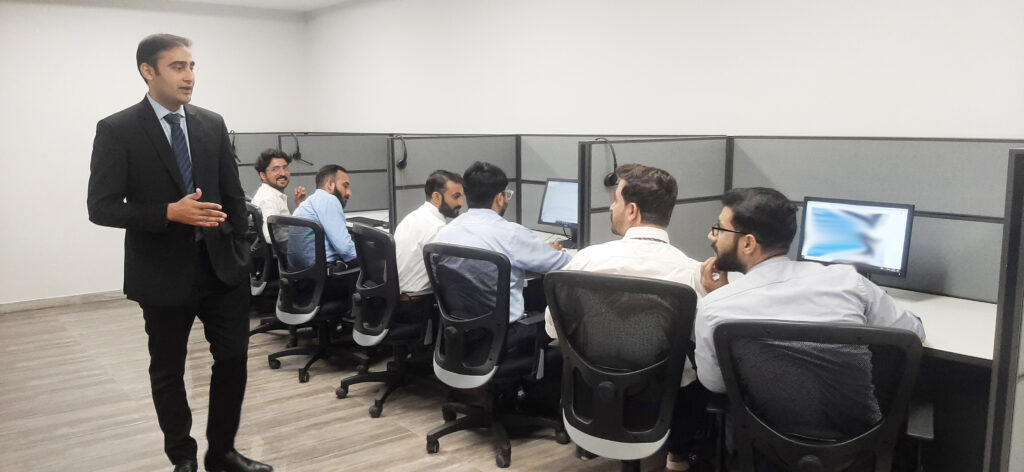
Once during one of my contact centre training sessions, a participant said:
“I really understood when I entered the application while attending a call on the system.”
This phrase actually describes the true spirit of hands-on learning. When you get the chance to do things yourself, everything seems easy and logical.
The theoretical knowledge not enough because Theoretical knowledge provides the foundation — that is, why something happens. But unless the learner puts it into practice, that knowledge does not last.
Even a small misunderstanding in system or software training can cause big problems.
By working practically, participants make their mistakes in a safe environment, learn from them, and become confident when they work in a real system.
But this does not mean that you should sit trainees directly on a live system. Based on my personal experience, training on system applications should be based on the following steps:
Introductory Presentation: This can be verbal but it would be better if it is given the form of a presentation and all the features of the system application (e.g. its purpose and what it can do) are explained.
Live Demonstrations – Show the system application by using yourself. This could be a video showing each step of using the application step by step but the live demonstration should be preffered.
Practice Labs – Let the participants work on their own in a safe (dummy/test) environment.
Scenario-Based Exercises – Conduct exercises similar to real-life tasks.
Immediate Feedback – Provide guidance during the process.
Post-Training Evaluation – Assess not only knowledge but also practical performance.
When practical exercises are given centrality in training, learners not only “know” but also “know how to do”.
Such employees learn quickly from mistakes, easily adopt new features, and effectively operate the organization’s digital systems.
After all, Hands-on Practice is not just a part of learning, but the foundation of change.
Because the goal of training is not just to impart knowledge, but to build skills.